


Our Teaching in the Digital Age book study blog party is now in full swing! If you haven’t heard about it you can find the details about how it works here, it’s never too late to join in the fun! Chapter 2, Using Photographs and Images to Inspire was hosted by the fabulous Dr. Jean, make sure to stop by and check out her “Techies and Dinosaurs” perspective.
How do you use photographs in the classroom?
This week I was talking with two early childhood colleagues who work in private preschool programs; I mentioned our book study and invited them to join us. When they asked for the title of the book their immediate responses were “we don’t have time for technology” or “we don’t have any money for technology.” Well, I have visited their campuses before and I know they use far more technology than they give themselves credit for so I asked them if they ever used digital photographs in the classroom and they both acknowledged that they had. When I told them that this was considered technology they asked for the title of the book again and wrote it down 🙂
Technology Excuses
Some of the reasons early childhood teachers give for not using technology are:
- Their students already spend way too much time staring at the screens of iPhones and iPads at home.
- Their programs are designed to educate children, not babysit or entertain them.
- Children should spend more time being active and learning through play and less time staring at a screen.
What these types of responses tell me:
- They may not be aware of the different ways that technology can be used to enhance early learning.
- They may view technology only as entertainment or a way to occupy children.
- Their own experiences with technology may be limited and therefore their definition of the word technology may also be limited.
If this describes you I hope you will join us because Teaching in the Digital Age has absolutely nothing to do with using technology to merely pacify children. It’s about how to use technology to enhance learning, and it is most definitely not about replacing any of the best practices that we know to be beneficial for early learning such as blocks, dramatic play, play dough etc.
Incorporating Technology in the Classroom
I myself was very reluctant at first to incorporate any technology in my classroom because I didn’t feel I could give up anything and replace it with technology, you can read that story in my reflections on Chapter 1. I believe that as teachers we should be lifelong learners and open our minds to new teaching and learning as we set examples for our students.
I loved how Dr. Jean described technology use in a comment to a reader,
“It’s our responsibility to teach children how to use the tool appropriately and carefully. You don’t just hand a child an iPad and say, “Play with this toy.” It’s like teaching driver’s ed. We need to sit next to the children and travel down the technology highway with them.”
Amen!
In Chapter 2 Brian gives an example of using digital pictures he took during a blizzard to spark conversation and discussion among his preschool students. Since the blizzard was something they all experienced it was a natural topic that all the children were interested in and eager to talk about. Did you know that oral language development is directly related to reading ability in later grades? Yep, one little digital photograph provided his students with a powerful literacy and language tool that directly supported early learning standards. And, if you teach second language learners or special needs students using photographs can further enhance language development and communication skills.
I was very intrigued by the particular pictures he used because the concept he was trying to illustrate was not familiar to me. You will have to read chapter 2 to see what I’m talking about. Oh, and I hope you are using the QR codes or urls to watch the videos embedded throughout the book, they really do take the reading experience to a whole new level and help clarify the concepts Brian describes within the book.
Using Photographs to Support Early Learning
On page 36 Brian lists ways which photographs can be used to support early learning. This list reminded me of some ways I have used photographs in the classroom to encourage making connections and encouraging inquiry.
- Importance of Reading: I took photos of families reading together when I worked at Head Start and created a bulletin board captioned “Caught Reading” with a bug theme. The purpose of this board was to not only display pictures of families but also emphasize the importance of reading at home.
- Motivation to Read: I took pictures of individual students reading in the classroom and created a video using Windows Movie Maker. I inserted a song called “We Can Read” by Jack Houston and each day when it was time for our literacy block I played this video. It was like our very own “theme song.” It helped the children transition quickly and helped increase motivation and interest in reading when they saw the pictures of their classmates on the screen doing the same.
- Book Handling Skills: Teaching students how to handle books is a new concept to many at the beginning of the year. To help teach this concept I took pictures of students holding books the right way, turning the pages by the corners, putting books away etc. We then used these pictures to create an anchor chart that we displayed in the classroom as a reminder of the skills we were learning.
- Field Trips: One year the local rodeo created an outreach program for elementary schools. Their program included a real cowboy and pony that came out to our school for free. The kids had a blast riding the pony and learning all about the cowboy gear. I photographed the entire visit and turned it into a PowerPoint with captions. We watched the PowerPoint each day for a few weeks to review the vocabulary and extend our discussion of the topic. Then, I printed out the pages and turned it into a class book that we kept in our classroom library. It was a class favorite for the rest of the year.
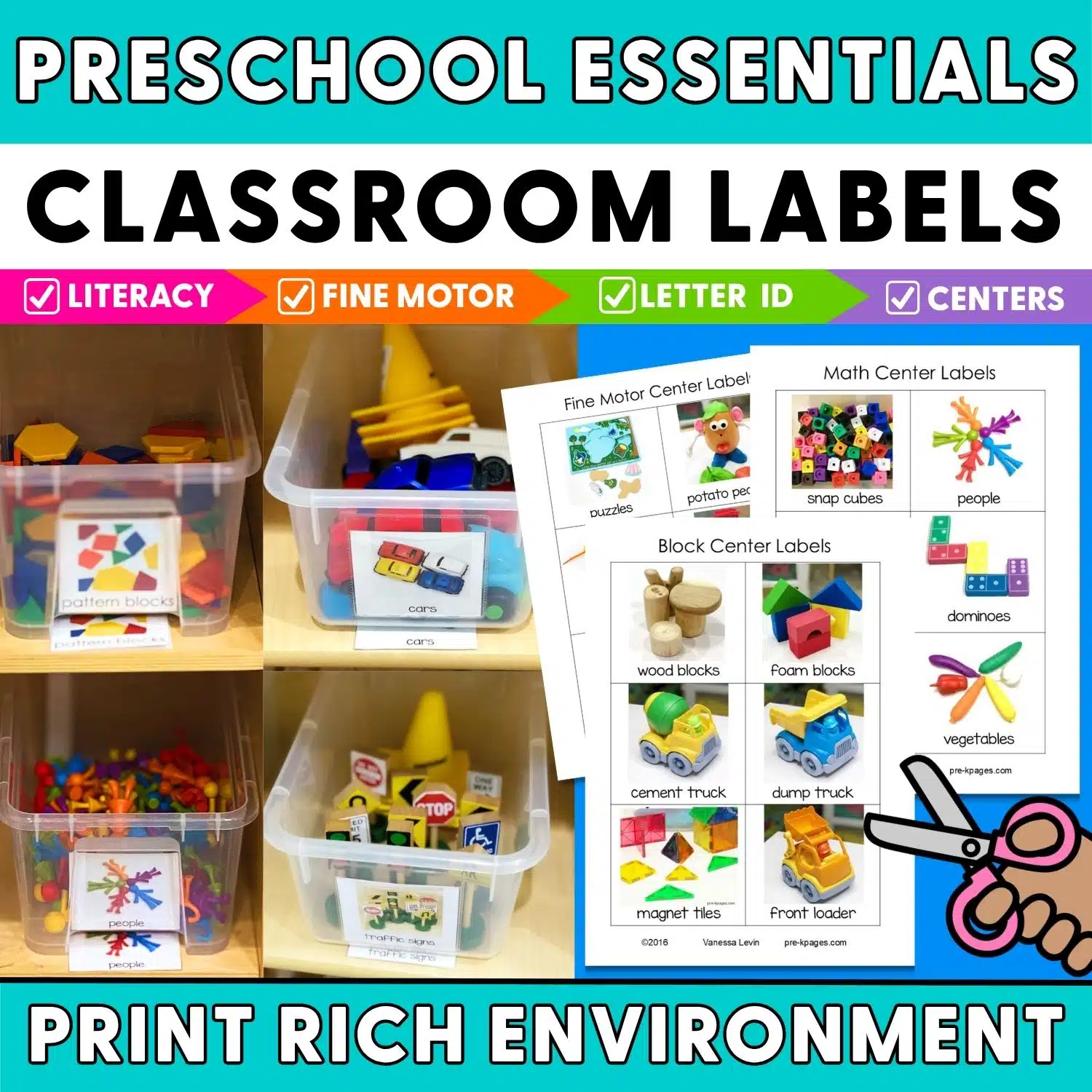
- Centers: I have photographs of each center in the classroom. These photos help us learn where each center is located in the room and what items are located there as well as how a clean center should look, you can read more about them here. These pictures are also used to create center charts so students can select centers.
- Class Books: One of my favorite ways to use photographs at the beginning of the year is to familiarize the students with their new school and staff. I think this idea is originally from Dr. Jean. Take a photo of the school building and each staff member that your students will encounter on a regular basis such as the principal, custodian, yourself and your assistant if you are lucky enough to have one, any cafeteria staff, bus drivers etc. Next, insert one picture on each page. The tune is “Wheels on the Bus” and it goes like this: The name of my school is ____________, ____________, ______________. The name of my school is __________________, that’s the name of my school. (keep going with all the other verses) You can create a PowerPoint, or video with audio, or just print all the pages and bind into a class book. My students loved reading this all year long because they felt successful “reading” it to a familiar tune.
- Author Pictures: I use author pictures on some of the book bins in my classroom library. You can print your own set of author labels here.
How do you use photographs in your classroom? Leave a comment below and share your ideas.
Get the Book
Teaching in the Digital Age can be found on Amazon.