
I have received quite a few questions about iPads and apps in the classroom; today I’ll be answering some of your questions here. Summer book study spoiler alert– the topic of this summer’s Book Study Blog Party is revealed in this post!
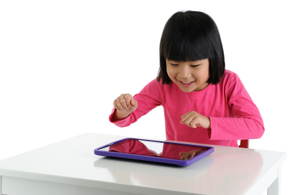
Q: My school has not provided us with iPads for the students to use but I have one of my own, do you think it would be worth it to have only one iPad in the classroom or should I wait until I have enough for every student?
A: A single iPad can still be very useful in a preschool, pre-k, or kindergarten classroom. Some classrooms only have one student computer so why not one iPad? Use the iPad in small groups or assign certain students certain days to allow for turn taking. You can also project the iPad screen using a document camera so the whole class can participate and interact with it at the same time or connect it directly to your projector; this is also helpful for introducing a new app.
Q: I have an iPad for my own personal use but I’m afraid to bring it into the classroom because it might get broken, what do you think?
A: Just like any piece of technology, your students will need to be “trained” how to use the device. They will need to be taught where and when they can use the iPad as well as how to properly handle and use it.
I suggest designating one area of the classroom where the ipad(s) will be used that is not a high traffic area. If possible have the students use the iPads on the floor- it’s a long drop from the table to the floor but a much shorter one if the iPad is already on the floor. The Gumdrop for iPads is a kid-friendly case you can use to protect your iPad. You can also use the iPad in small groups while you are present if it is a concern.
Q: Why are you reviewing iPad apps?
A: This is a very good question which has several answers. First, because I have written about technology before, I was receiving e-mails from teachers asking me to recommend apps for their classroom. Now I can point them to my collection of What’s App Wednesday posts.
Second, there are thousands and thousands of apps out there targeting the early learning market and many of them are poorly designed or lack educational value. My goal is to highlight apps that will enhance early learning in a variety of ways so you can make informed choices.
My third and final reason is because… (drum roll please) this summer our Book Study Blog Party will be about technology in the early childhood classroom! Our focus will be on appropriate uses of technology and how to use technology to enhance instruction, not replace it. If you are not familiar with this concept check out last year’s Book Study Blog Party here.
Q: My school does not budget for technology in pre-k or kindergarten; we are always left out while the other grades get everything. How can we convince our administration that technology can be used in the younger grades?
A: This is a very common problem; many school districts do not understand how technology can be utilized in the early childhood classroom. Others feel that the expensive equipment might be broken by little hands. My first suggestion is to not only ask for the technology but also provide your administrators with an overview of exactly how the technology would be used to enhance learning in your classroom. If you only want a projector to show videos then most likely your request will be denied. However, if you list the multiple ways a piece of technology can be used to support your local, state, or national standards your chances of approval might increase.
You might even consider including a “Plan of Action” in your request listing the phases of implementation and the goals you hope to achieve at each phase. For example, Phase 1 of implementation would start on the first day of school and last until October 1st. Your goals during Phase 1 might include familiarizing the students with the particular piece of technology and how to use it appropriately. A learning objective for an iPad in Phase 1 of implementation might be “taps screen appropriately to open apps.”
Q: I like the idea of technology in the classroom but the reality is that it is very expensive and most schools don’t have a budget for this right now, do you have any affordable suggestions?
A: I agree, technology can be expensive but there are some new products on the market now that offer more affordable alternatives such as the iPevo document camera and the Now Board by Learning Resources. Schools can no longer use cost as an excuse to exclude technology from classrooms as it becomes more affordable.
Digital and media literacy skills are now being assessed in some states; if they are assessed on it then it will become a priority. Our students today are digital natives and therefore should be taught 21st Century Skills that will prepare them to be successful in the digital revolution, not the industrial revolution.
How do you use technology or iPads in your classroom? Please leave a comment below, it might help others
Photo Credit at top: Getty Images